See your artwork on the wall before you paint
Upload a wall photo, map your mural with perspective-correct rendering, present to clients and share online — all from one app.
Free to download · License unlocks sharing · No subscription lock-in
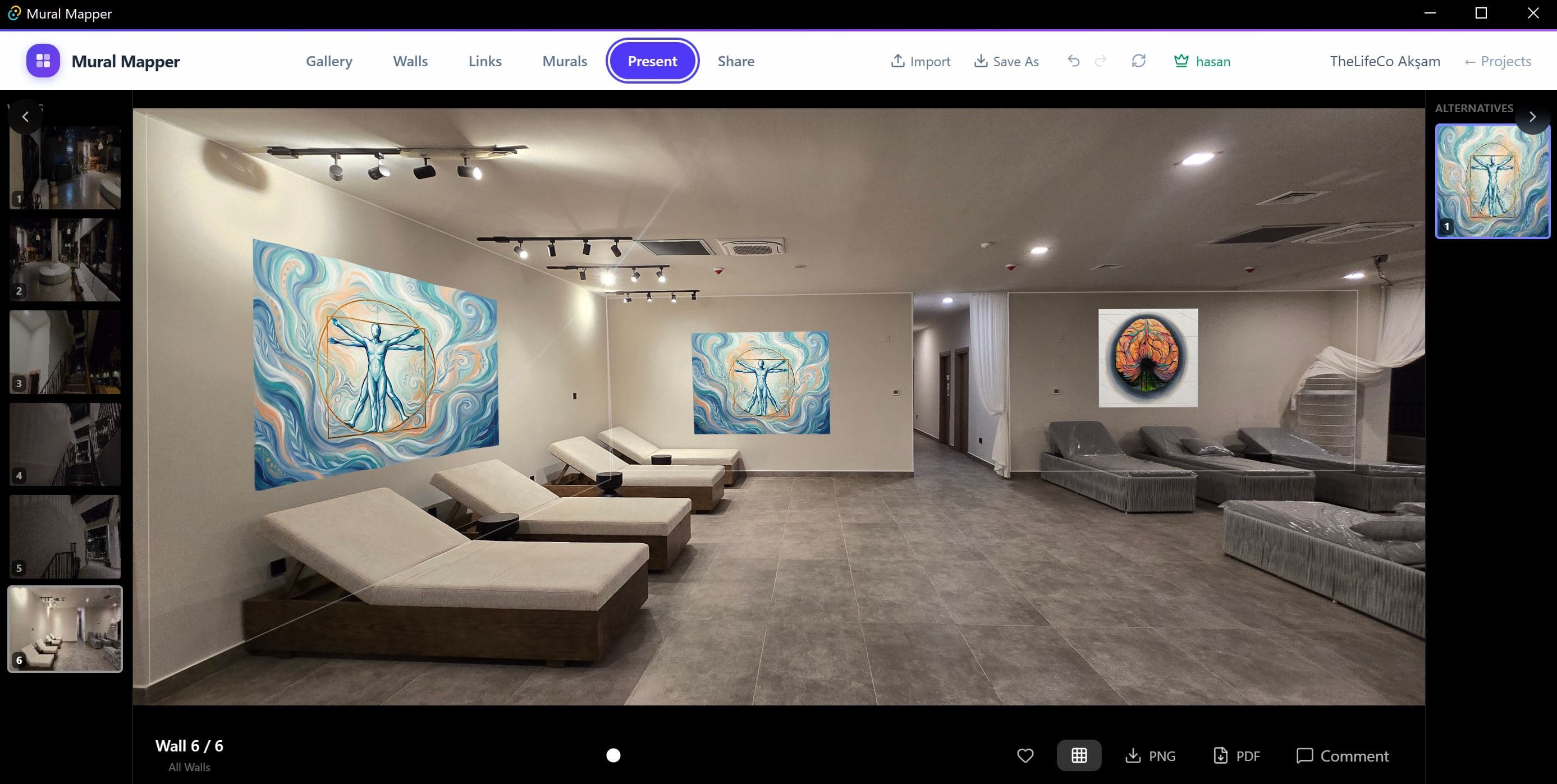
How it works
Three steps from wall photo to client presentation.
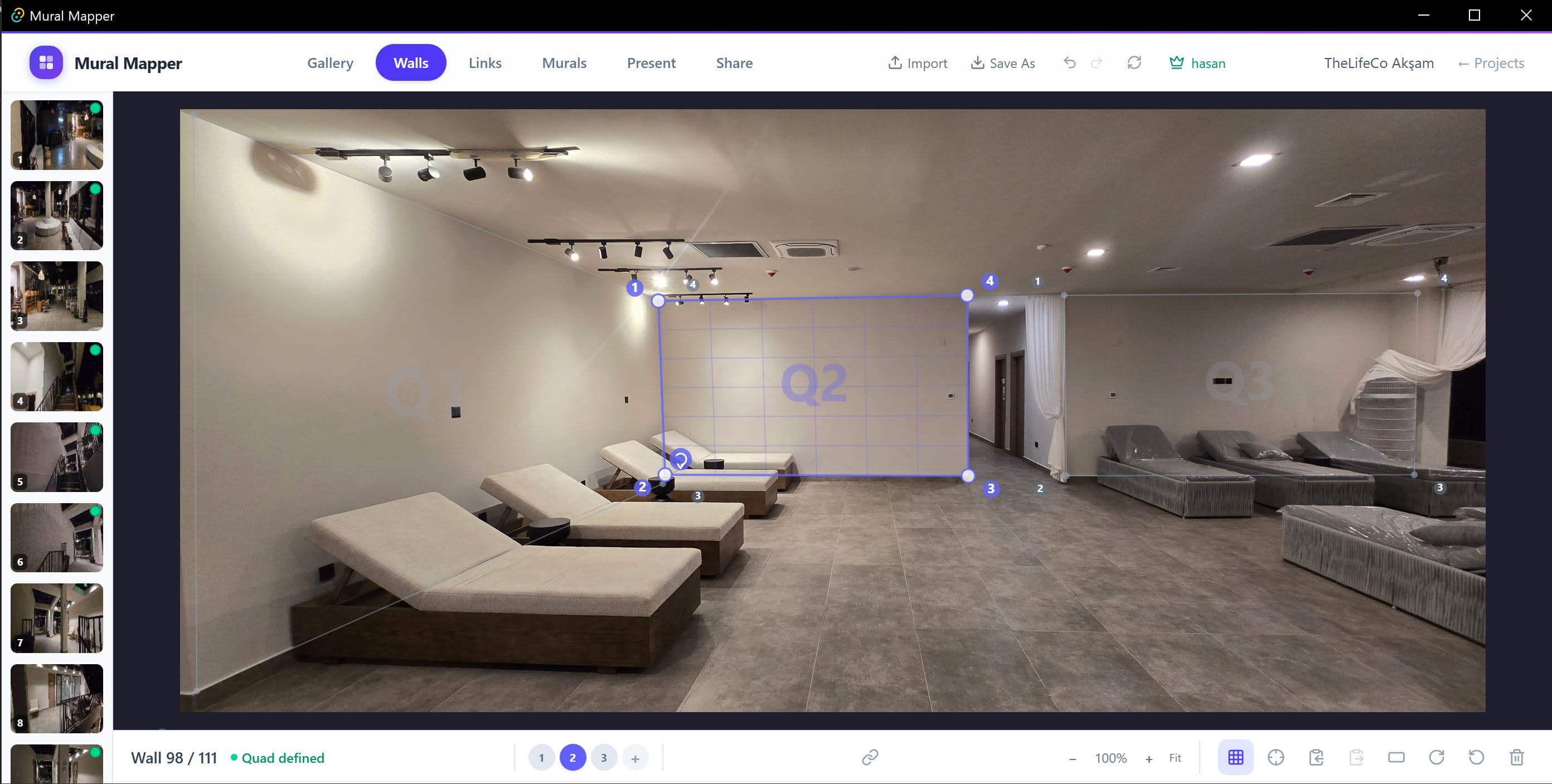
Map your walls
Import wall photos and draw perspective-correct quad zones. Set multiple quads per photo for complex spaces — hallways, corners, entire rooms.
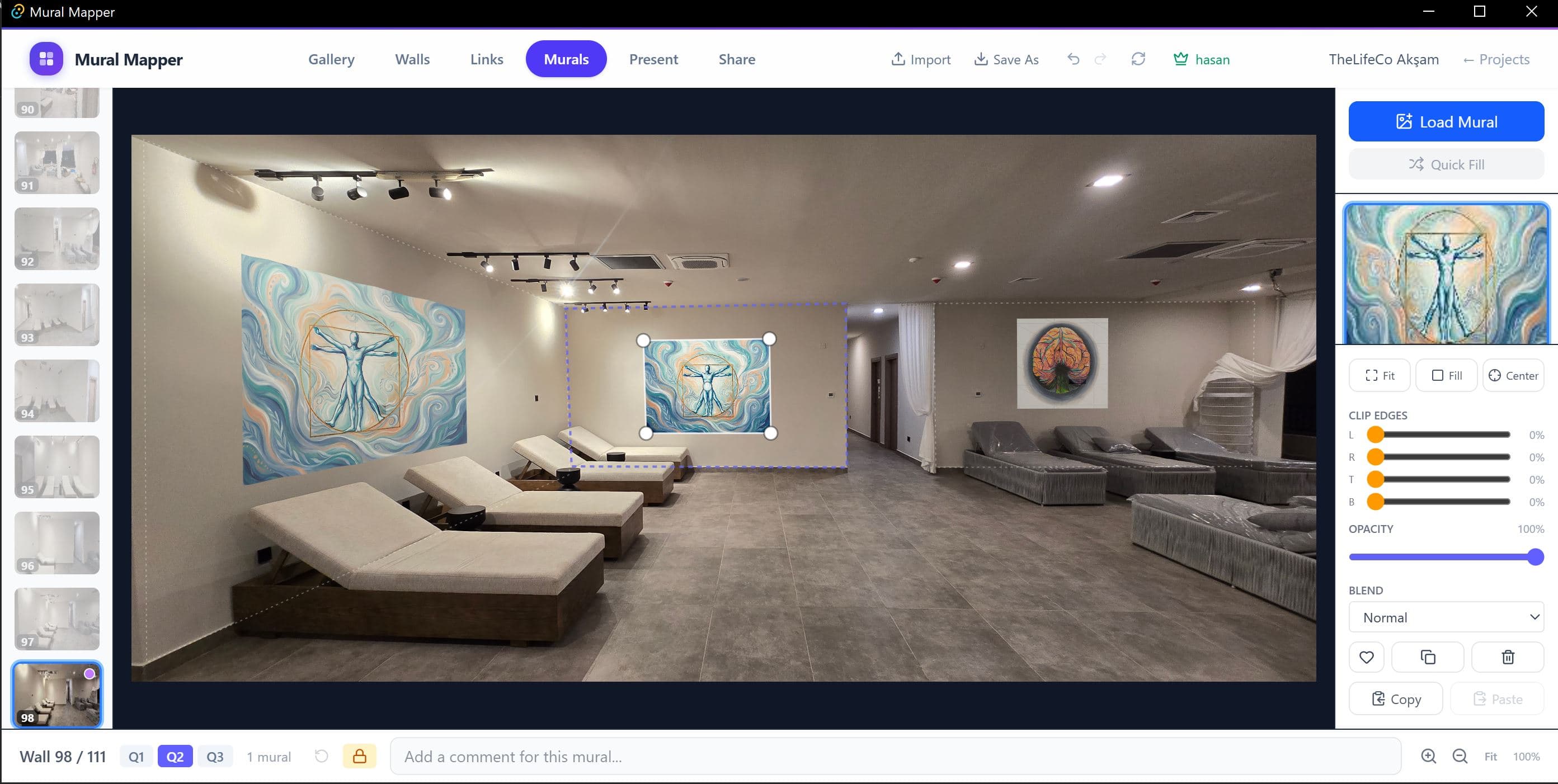
Place your artwork
Load any image and see it mapped onto the wall in real-time. Adjust fit, clip edges, opacity, and blend mode with precision controls.
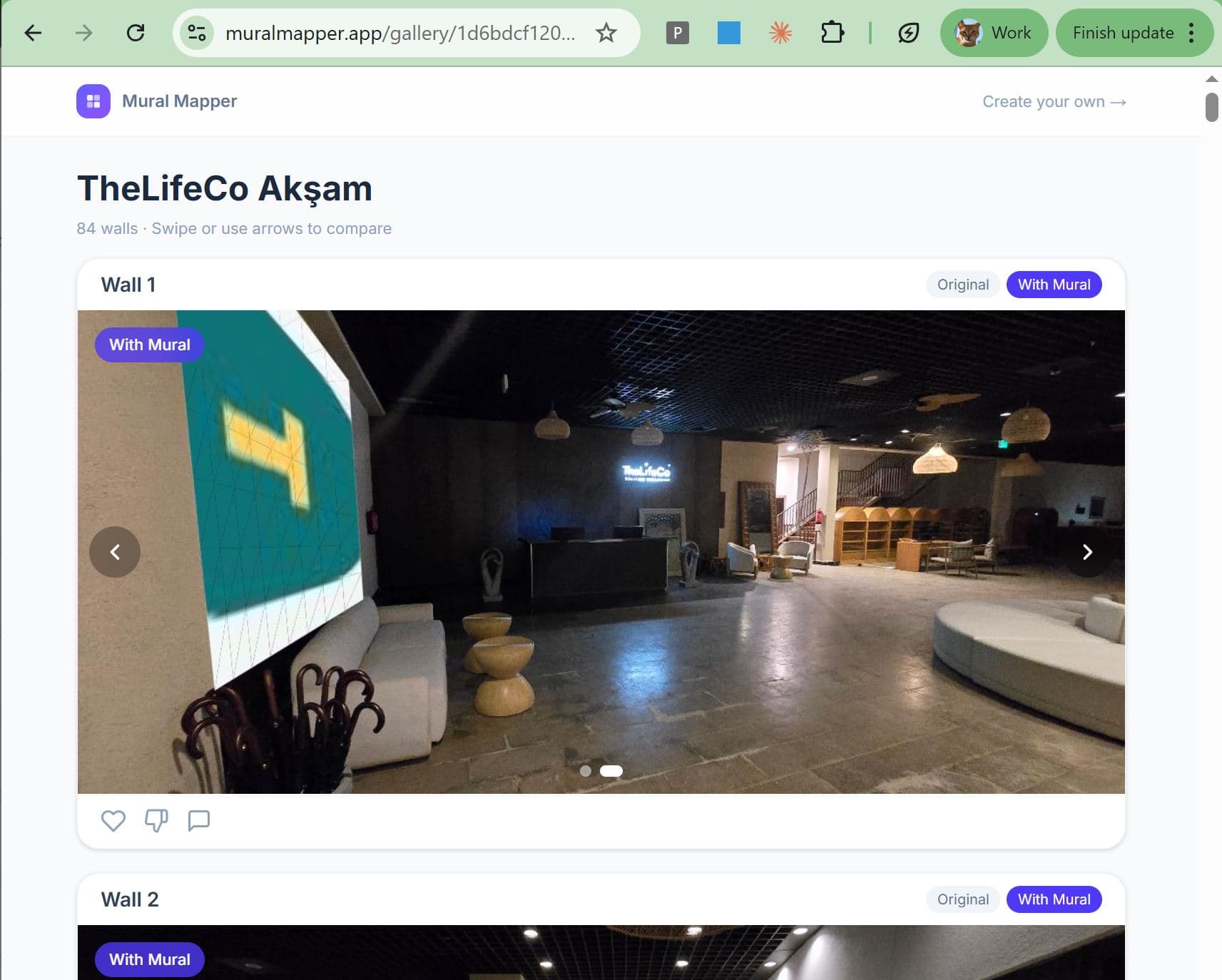
Share with clients
Upload your project and get a private link. Clients browse an interactive gallery with before/after comparison — no app install, no login needed.
Built for professionals
Everything you need for mural visualization and client presentations.
Perspective mapping
Four-point quad transformation maps artwork precisely onto any wall angle.
Multi-quad per wall
Place multiple artwork zones on a single photo — map an entire room at once.
Linked surfaces
Link quads across walls so one mural change updates everywhere.
Live preview
Adjust fit, clip, opacity, and blend mode with instant feedback.
PDF & PNG export
Generate professional before/after presentations for every wall.
macOS & Windows
Native desktop app. Fast, offline-ready, no browser needed.
Start visualizing today
Download the app, upload your first wall photo, and see your artwork come to life.
Free to try · Yearly $399 · Lifetime $999